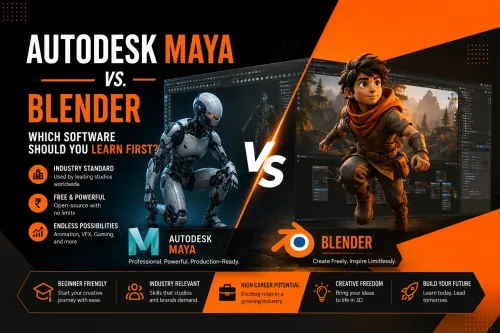
Autodesk Maya and Blender are two of the world's most popular 3D animation software platforms. While both are used to create professional-quality animation, visual effects (VFX), games, architectural visualisation, and digital content, they differ in learning curve, industry adoption, pricing, and career pathways. Choosing the right software depends on your goals, learning style, and the creative career you want to build. You have just cleared your Class 10 or Class 12 boards, and you are passionate about animation, VFX, and everything the AVGC industry has to offer. One question arises almost immediately: Should you start with Autodesk Maya or Blender? It is a decision that carries real weight. The software you learn first shapes the way you approach 3D space, understand production workflows, and position yourself for the industry. Both tools are powerful, both have passionate communities, and both can take you far — but they serve different purposes and suit different starting points. Let’s explore the Maya vs. Blender debate clearly and practically, so you can make an informed choice and take your first confident step into a creative career. Whether you aspire to become a 3D Animator, VFX Artist, Game Artist, Motion Graphics Designer, Character Modeller, or Technical Artist, understanding the strengths of each platform will help you make a confident and informed decision. Ease of Learning Blender offers a more accessible entry point. Since version 2.8 overhauled the interface, it has become significantly more beginner-friendly, and the sheer volume of free tutorials available on YouTube and Blender-specific learning platforms is unmatched. For a student exploring 3D independently, it is a rewarding starting tool. The abundance of free tutorials, online communities, and educational resources makes Blender especially attractive for beginners who want to experiment before enrolling in formal training. Maya has a steeper initial learning curve — the interface is dense and assumes some familiarity with production pipeline logic. With experienced faculty by your side, mastering Maya becomes a smooth and rewarding journey. The complexity is contextualised, and the professional payoff is significant. Students learning Maya within structured programmes often progress faster because instructors introduce professional workflows gradually while providing practical project experience. Career Opportunities The best software for 3D animation is not a single answer — it depends on your goals, your budget, and the career path you are building towards. Both platforms open meaningful career pathways in the AVGC-XR industry. Maya skills are well-suited to roles such as 3D Animator, VFX Artist, Rigging Artist, FX Technical Director, and Lighting and Rendering Artist at professional studios and post-production houses. Blender skills are increasingly valued in roles like 3D Generalist, Motion Graphics Designer, Freelance 3D Artist, and Architectural Visualisation Specialist. Many working professionals eventually develop fluency in both tools. Building depth in one and working familiarity in the other is a sound long-term strategy Professionals who understand multiple software platforms often enjoy greater career flexibility, particularly when working across animation, VFX, gaming, virtual production, product visualisation, and immersive media and the foundation you build early makes that transition significantly easier.

Pune
08048048011
+919545458080
 Chat with us
 Chat with us